Blocking ads for the house with a 2012 Raspberry Pi
The first thing we built cost nothing. A Raspberry Pi from 2012, which had been sitting in a drawer for years, now blocks adverts and trackers for the devices that matter most in the house.
Why start here
We wanted a first project that was small, useful straight away, and taught something that every later phase depends on. DNS fits perfectly.
Every time a device opens a website or an app talks to a server, it first has to turn a name like example.com into an address. It asks a DNS server, usually the one your internet provider's router hands out. Pi-hole is a DNS server that sits in the middle: it answers normally for everything, except for the thousands of domains on its blocklists, mostly adverts and trackers, where it answers "nothing here". The adverts never load.
It's a brilliant first lesson for a teenager. Pi-hole's query log shows every name every device asks for, as it happens. Watch it for a few minutes and you start to see how much of an ordinary web page is adverts, trackers and analytics, and that's a good conversation to have.
The world's slowest server
The Pi we found is an original Model B: 512MB of RAM and a single-core 700MHz processor. A modern phone is hundreds of times faster. But a DNS server for a household barely does anything, so it's enough.
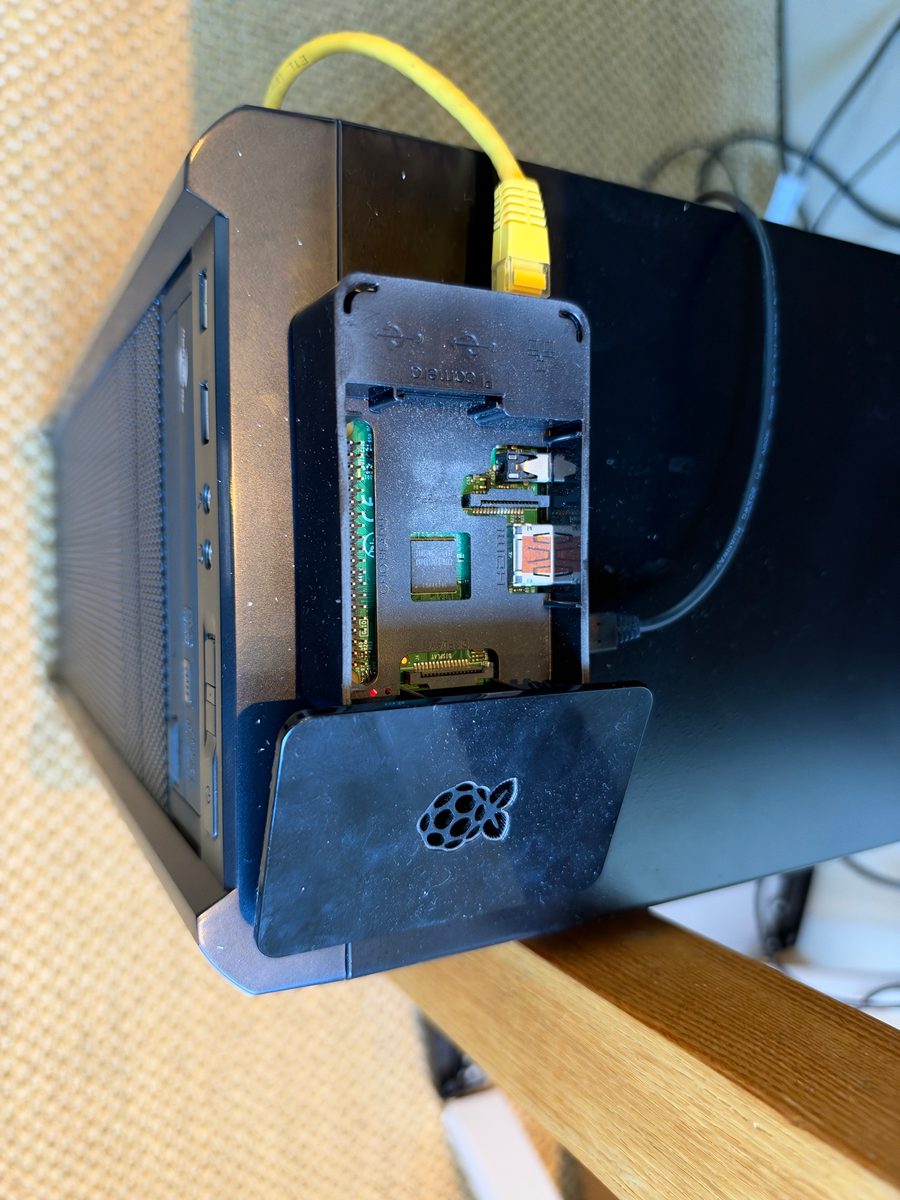
What we used:
- the old Pi, plus a decent new SD card (old cards are the most common reason old Pis are flaky);
- an old phone charger for power;
- an Ethernet cable to the switch in the cabinet. No Wi-Fi for anything this important.
Building it
- Flash the card with Raspberry Pi Imager: Raspberry Pi OS Lite (32-bit), no desktop, with SSH switched on and our key added, so we could log in from a laptop.
- Give it a fixed address, so devices always know where to find it.
- Install Pi-hole with its one-line installer, pick an upstream DNS provider, and keep the default blocklist. Adding lots of extra lists on day one mostly just breaks things.
- Test on one laptop first, for a couple of days, before telling anything else about it.
We followed a step-by-step runbook we'd written with Claude as part of our plan, so there was always an answer to "what next?", and when something looked odd we pasted the output into Claude and worked through it together.
From a blank SD card to blocking adverts took us one session of about 2–3 hours, most of it spent waiting for that single core to update the operating system and run the installer. It's a good chance to explain what's actually happening while you wait.
The router wouldn't play along
Normally you'd tell your router to hand out Pi-hole as the DNS server, and every device in the house would use it automatically. Our internet provider's router doesn't allow that: you can't change the DNS server it gives out, or switch off its DHCP.
So for now we set DNS by hand on each device that matters: the laptops and PCs. Phones can wait. It's fiddly, but it's a good lesson in how every device decides who to ask for names. When our own firewall takes over handing out addresses later in the plan, the whole house will switch over at once.
Two things we learned along the way:
- Think about a backup DNS server. If a device only knows about Pi-hole and the Pi is off, it loses the internet entirely. For anything that has to keep working, add a public DNS server as a second choice, so a reboot of the Pi doesn't start an argument.
- IPv6 can sneak round it. The router also hands out IPv6 settings, and some devices ask the provider's DNS over IPv6 and skip Pi-hole altogether. If a device still shows adverts, that's usually why. It gets fixed properly when the firewall arrives.
More than ad blocking
Once Pi-hole is answering DNS, it can also answer for things only inside the house. We gave the NAS a friendly local name in Pi-hole, so nobody has to remember its address any more.
Living with it
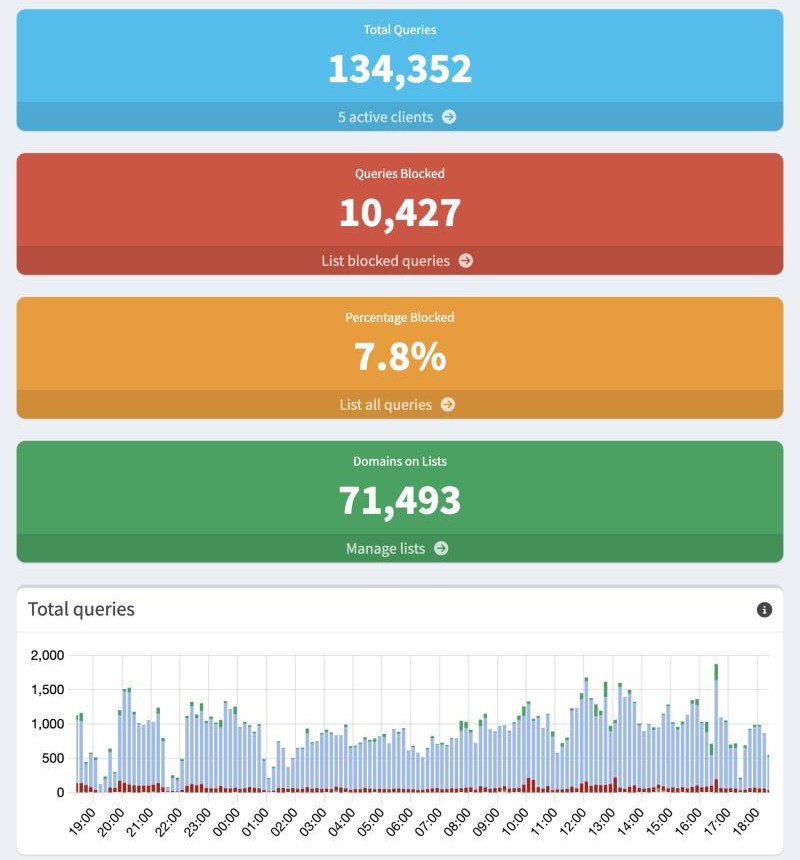
- When something breaks, it's almost always a blocked domain. You find it in the query log and add it to the allowlist. It's a skill worth teaching, and my son now does it faster than I do.
- Back it up. Pi-hole's Teleporter exports all its settings into one file, and we keep a copy in our private repository. If the SD card dies, it's a new card, a fresh install and one import.
What it cost
Nothing, apart from the SD card. Everything else came out of a drawer.
What's next
This little Pi turned out to have plenty of spare capacity, so next we gave it a second job.